
Thumbframe · Updated 24 October 2026
How your thumbnail looks in YouTube search, home and up next
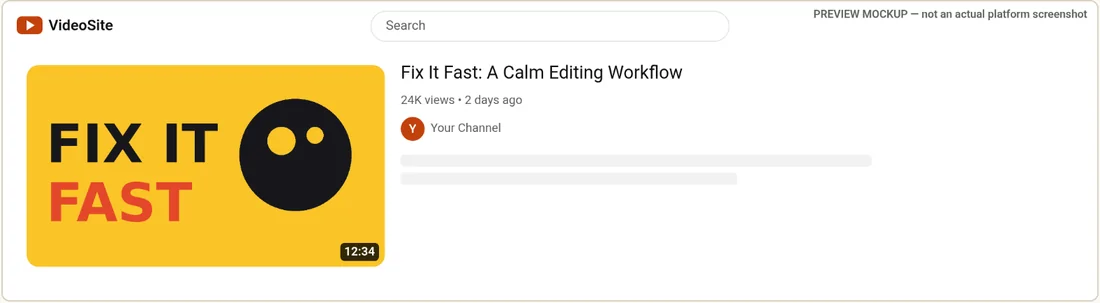
A thumbnail is not shown one way. In the home feed it is a large card in a grid, in search it sits beside a longer title, in "up next" it is small, and on a phone it fills the width. The same file passes the test on one surface and fails on another.
What each surface asks of your thumbnail
| Surface | What is different | What to check | In Thumbframe |
|---|---|---|---|
| Home grid (desktop) | Big card, title under the image, many other cards around it | Does it stand out from its neighbours? Does the title add something the image does not say? | Desktop home grid |
| Search results | Image beside the title, channel and a views line | Is the topic clear? A long title is cut, so does the opening still work? | Search results |
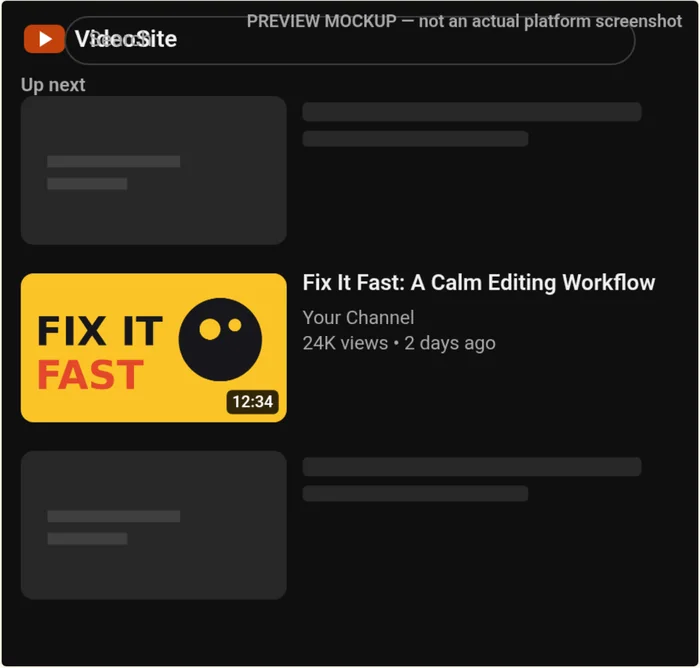
| Up next | Small image beside a short title | Can you still read any text? Is the subject recognisable as a small shape? | Sidebar "up next" |
| Mobile feed | Image across the full width of a narrow screen, one card at a time | Is anything near the edges? Is the title legible under the image? | Mobile feed |
| Shorts shelf and vertical videos | Vertical frames; a different crop | See below. This layout is not in Thumbframe. | Not available |
Search is where the title matters most
In search results the viewer has typed a query and is scanning for the one that matches. The image still carries the first glance, but the title sits right beside it, so the two are read together. If your thumbnail text and your title repeat each other, one of them is wasted space. Try giving the thumbnail the hook and the title the keywords the viewer searched for.
Up next is the smallest case
Next to a playing video the thumbnail is small. Thin text, a small face or a detail in a corner turns to noise. If it works there, it will work almost everywhere. Thumbframe also draws a 168 px preview in its legibility checks, which is a quick proxy for this case.
Mobile: check the edges and the title
On a phone the thumbnail takes the full width of a narrow column, so it is large. Check that nothing important hugs the edges, because rounded corners and a non-16:9 crop can trim them.
Shorts and vertical videos
Thumbframe does not simulate a Shorts shelf. What YouTube Help says (checked 24 October 2026) is that for Shorts the recommended thumbnail aspect ratio is 9:16, and that vertical videos with a 16:9 custom thumbnail get an auto-generated 4:5 thumbnail on the home, explore and subscription pages, while the custom thumbnail still appears on the watch feed, watch history and non-mobile platforms. If you publish Shorts, preview your frame as a 4:5 and a 9:16 crop in your editor. The source is Add custom thumbnails on YouTube.
A three-surface review that takes two minutes
- Look at the home grid for standing out.
- Look at search for the title and image working together.
- Look at up next for what survives at small size.
For specs and the bottom-right area to keep clear, see YouTube thumbnail size and safe areas.
Frequently asked questions
Does a YouTube thumbnail look the same everywhere?
No. It is cropped, sized and surrounded differently on the home feed, in search, in the up-next column and on mobile. That is why previewing it in several layouts is worth doing.
What happens to a 16:9 thumbnail on a Short?
According to YouTube Help, vertical videos with a 16:9 custom thumbnail are replaced by an auto-generated 4:5 thumbnail on the home, explore and subscription pages, while the custom thumbnail still appears on the watch feed, watch history and non-mobile platforms.
Can Thumbframe preview the Shorts shelf?
No. Thumbframe has desktop home grid, search results, mobile feed and sidebar up-next layouts. A vertical image is centre-cropped to 16:9 in them.
Which layout should I check first?
The smallest one, up next. If the thumbnail still reads there, it usually reads in the larger layouts too.
Related
- YouTube thumbnail preview tool for desktop, mobile and dark mode
- YouTube thumbnail safe zone checker
- Test your YouTube thumbnail in dark mode and light mode
- How to preview a YouTube thumbnail before you publish
- YouTube thumbnail size and safe areas (2026)
- Thumbframe: the tool and pricing
- More tools for creators